Certificate Processing
Certificates of insurance are a time consuming aspect of agency operations.
The Agency Advantage contains several new features to expedite certificate processing.
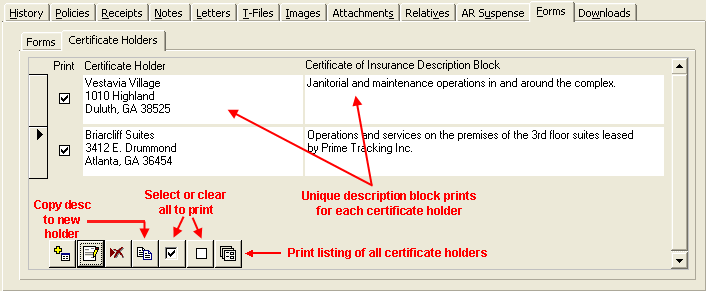
The certificate holders tab, located on the forms tab in the customer folder, contains
many functions to help you create and manage the certificate holders associated
with a given client. In addition to the ability to copy a new holder from the third
party address file, you can now create a new holder record duplicating the description
block of the selected holder. Additional features are highlighted in the graphic
below.
Note that one or more certificate holders must be created prior to adding a certificate
to the system.
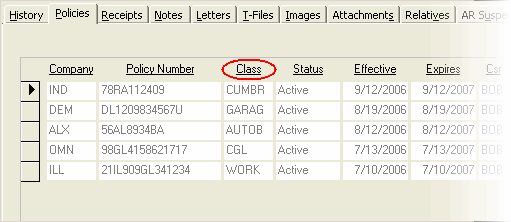
The certificate of insurance forms 24 and 25 require that the class of business
match the ACORD standard for each subsection of the certificate. The graphic
below shows a sample commercial customer's active policies which have been selected
to complete the Certificate of Liability Insurance (ACORD 25).
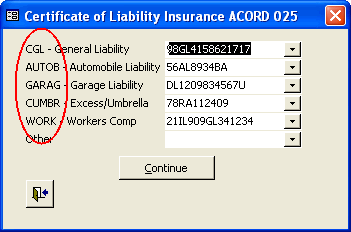
When a certificate is added, the system searches the customer folder for active
policies in the ACORD standard classes highlighted below. If an active policy for
the class is found, the dropdown is preloaded with the corresponding policy number.
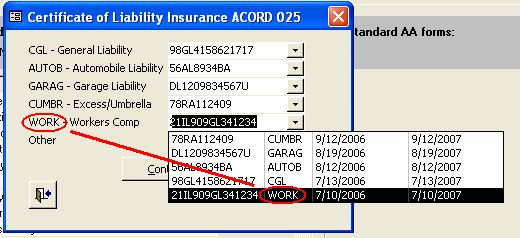
You may select any active policy from any class to populate a section of the certificate.
This adds flexibility in cases where commercial lines policies are coded with different
class codes.
Pressing the Continue button takes you to the selected certificate. The form is
prefilled with data from the policies you selected above.
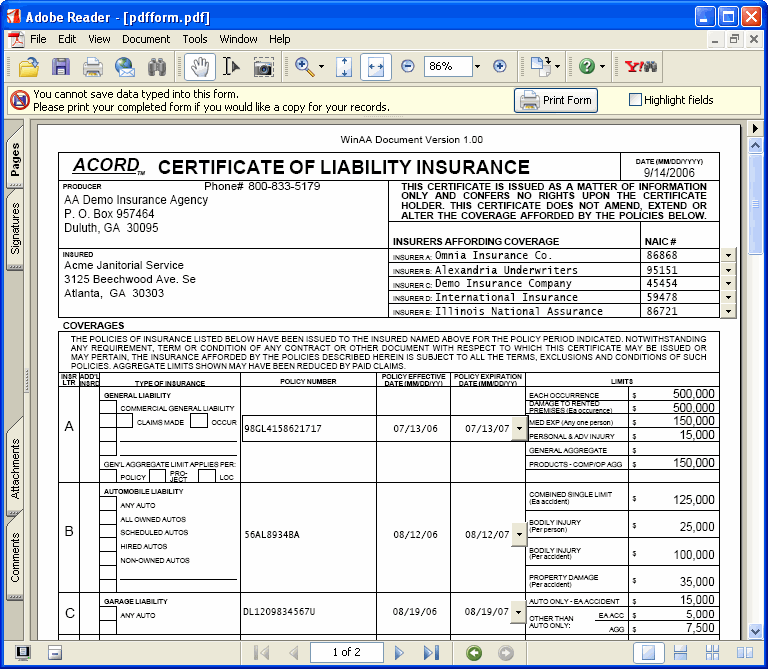
To generate a certificate for each holder selected in the first step, choose File
then Print All Certificates.

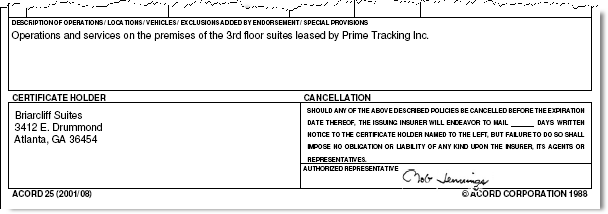
As each certificate is printed, the holder and corresponding description block are
filled in by the system.
|