|
Support Article: Importing Graphics Into Letterhead
This feature allows users to create custom letterheads that may match additional stationary in the office. You need to first create a 1" x 6" bitmap image in a program like PhotoShop. I created one using a 1" x 6" template using a 100 dpi setting. This will give your image a high enough resolution to print properly without distortion. We'll need to open up The Agency Advantage program and go to System Setup - Agency Information - Product Registration. Click on the Edit button.
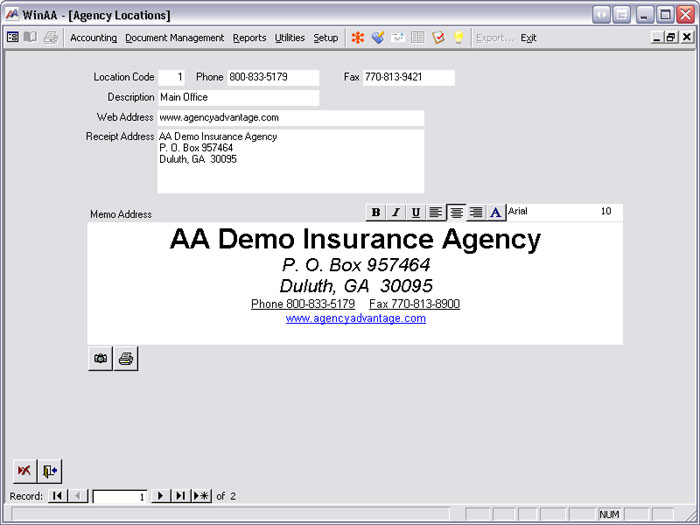
This will take you to your existing registration information. It will look similar to this.
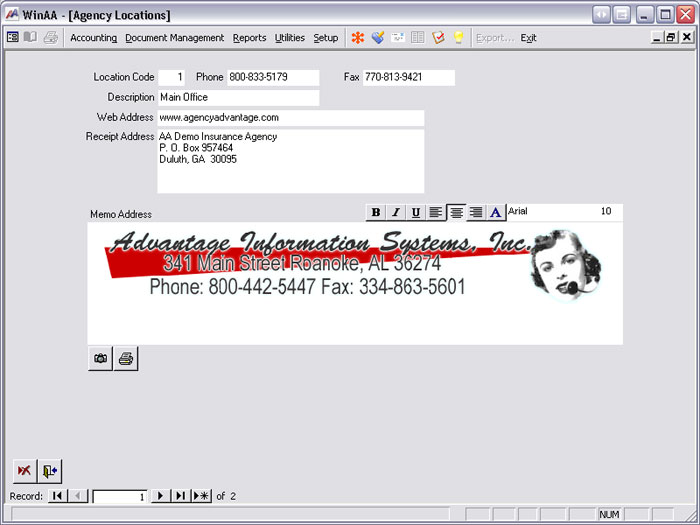
Delete everything out of the Memo Address area and then click on the camera button right below the field. Choose Create from File, Browse. You will need to locate the image where you saved it, then choose Open and OK. The image should now show up under Memo Address.
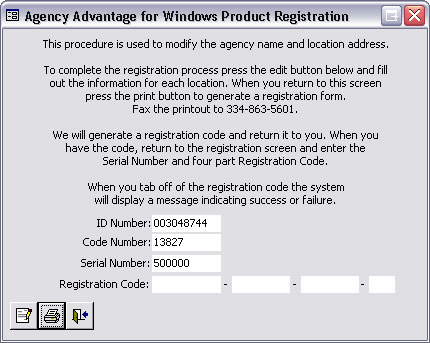
Click on the Exit button (door) in the lower left and it will return you to the Product Registration window.
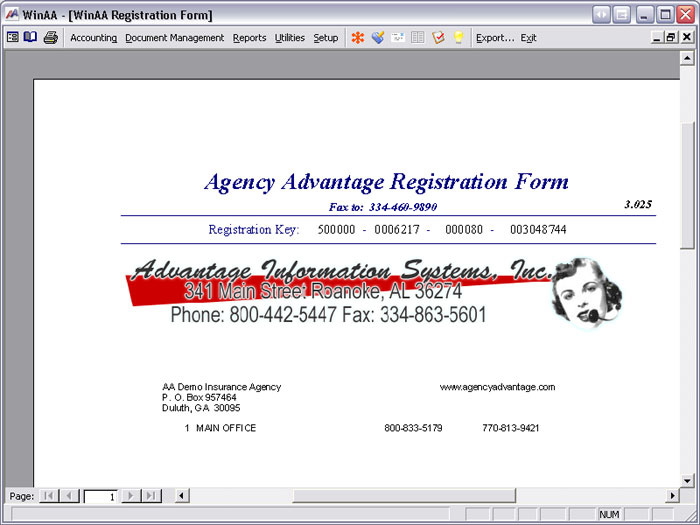
Click on the Print button and it will take you to your registration form preview.
If this is how you'd like for your letterhead to look, then print it off and fax it to 334-863-5601. We'll send you back a product registration form to complete the process and make the changes to your registration permanent. Written by: Tina Stewart |
|
|