|
Support Article: Compact and Repair
or ReIndex a WinAA database
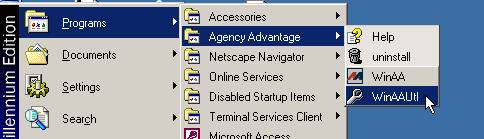
In order to repair your WinAA database you first need to start the utilities program.
This can be found under Start – Programs – Agency Advantage – WinAAUtl, as shown
below:
When entering this program you will be prompted for the administrator password. Check
the database path to verify that you are connected to your live database. This is
located directly beneath the menu as shown below:
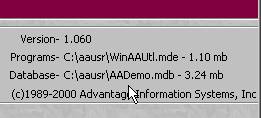
If you are not connected to your live database then follow the steps below:
- Choose ‘Change Connection’ from
the menu.
- Click ‘OK’ on the popup.
- From the dialog locate and open
the correct database file. The file should be located in your AA folder on the network
drive. It should be named aadata.mdb or aadata.
- Your database path below the menu
should now show the correct path to your live database.
Now choose ‘Reindex Database’ from the menu. You will then see the popup window
below:
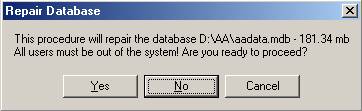
It is very important that all workstations
have closed WinAA. Once everyone is logged out click 'Yes' to proceed. What you
will see next varies depending on your database size and the speed of your computer.
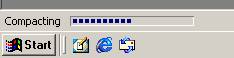
If you have a large database, more than likely you will see a gray screen. It may
appear that nothing is happening, but if you look to the bottom left corner of the
screen you can check the progess in the status bar. ( shown below. )
When finished the program will return to the utilities menu and a 'Finished' popup
will be displayed.
If you have any question or problems please email
support@agencyadvantage.com.
Written by: Keith Bradford
Back
|
